
Localhost 3000
Run and manage your local web projects from one native macOS dashboard.
What it does
✦Scan one portfolio root and list every project that exposes a dev script
✦Start and stop local dev servers from a native macOS dashboard
✦Track assigned ports and edit them inline before the next launch — works even if the project hardcodes a port
✦See which projects have uncommitted git changes before you run them
✦Open running apps in the browser or copy a network URL to test on another device
✦Scan a QR code to open any running project on your phone instantly
✦Jump straight into Terminal, VS Code, or Finder from the same row
✦go/ links — type go/alias in Chrome to open any project without touching a port number
✦Menu bar quick launch — start and stop servers without opening the app at all
Who this is for
Developer command center
Manage a folder full of client sites, experiments, and portfolio apps without opening separate terminal tabs for each one.
Cross-device testing
Copy the local network URL for a running project and open it on a phone or tablet on the same Wi‑Fi — or just scan the QR code.
go/ links
Assign a short alias to any project and just type go/alias in Chrome to open it. No port numbers, no bookmarks.
Screenshot
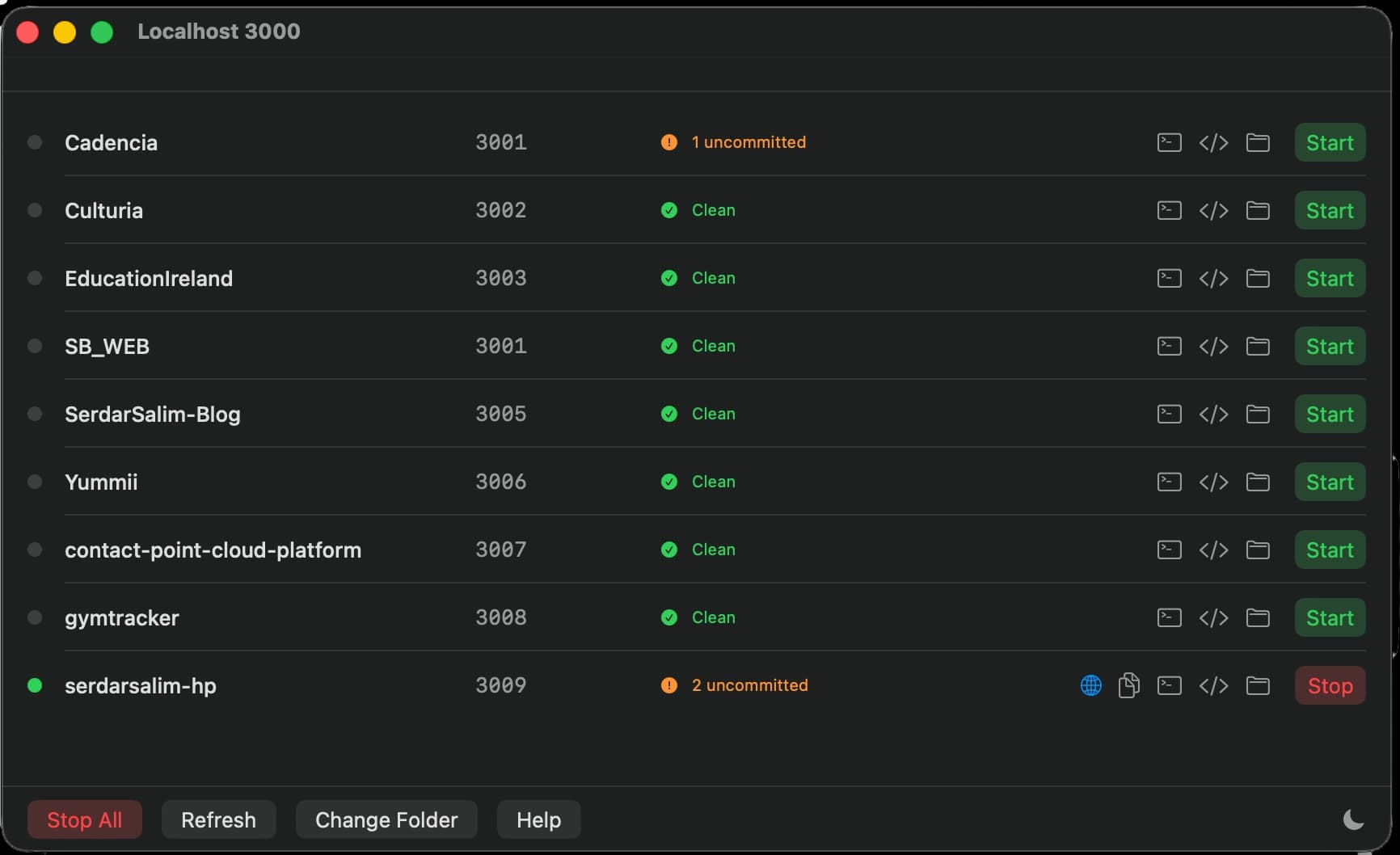
Built for daily dev workflow
✦Stop every running dev server at once with Stop All
✦Refresh the app list and git status without restarting the app
✦Change the tracked root folder when your project structure changes
✦Switch between light mode, dark mode, and system appearance
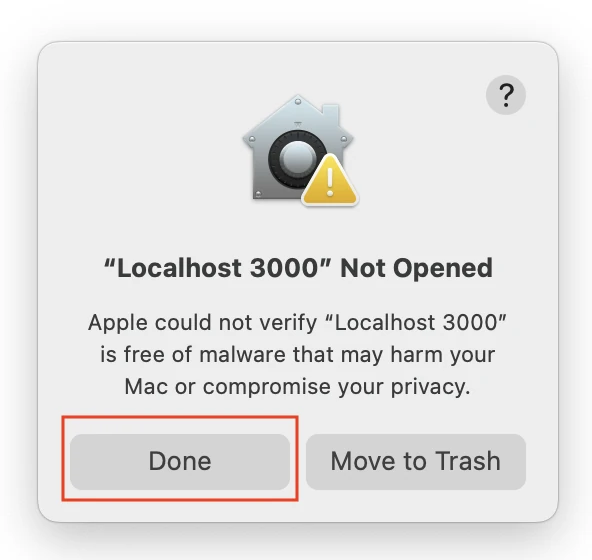
If macOS blocks opening
1.Download and unzip the app, then try opening Localhost 3000.app once.
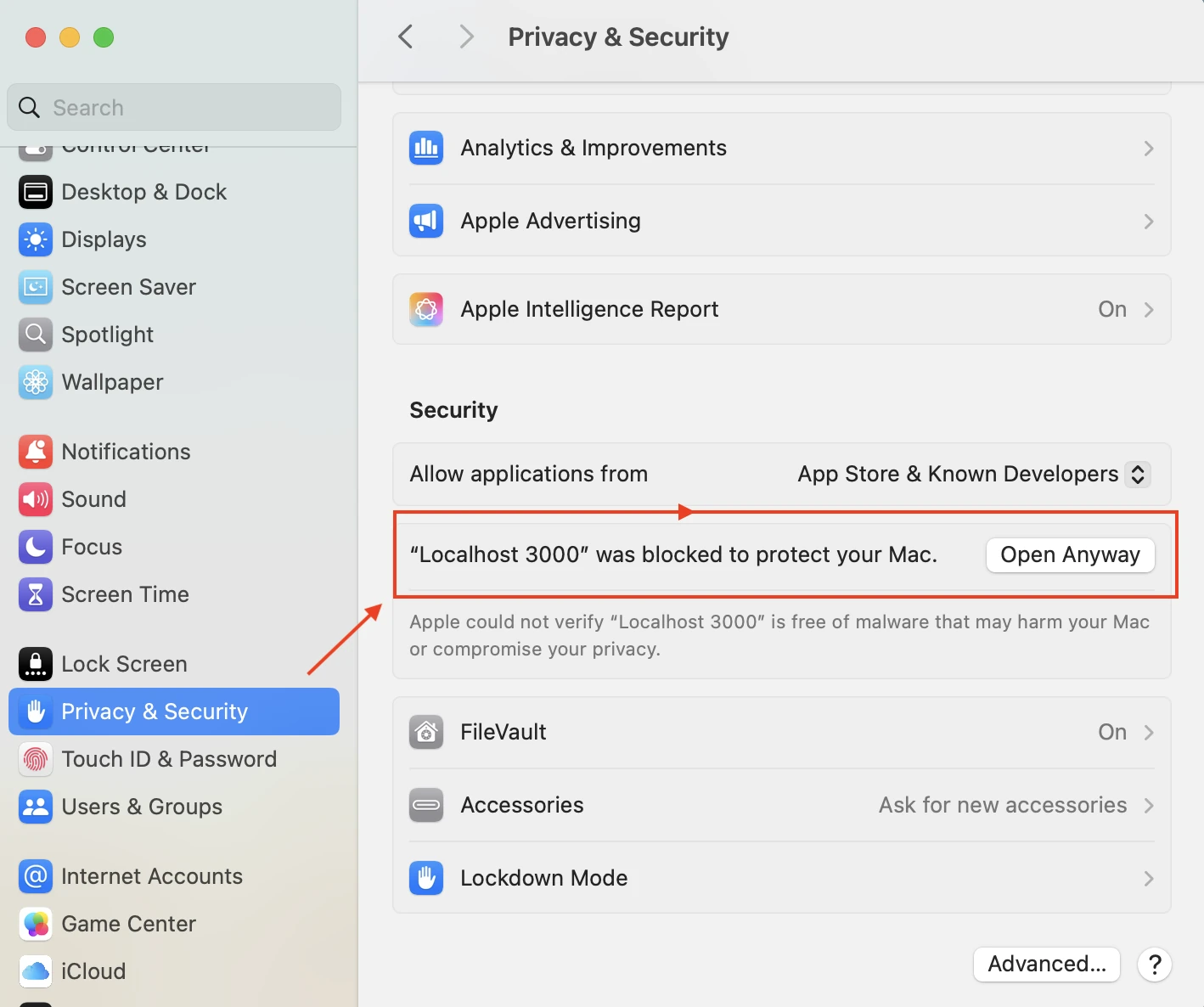
2.Open System Settings → Privacy & Security.
3.Find the blocked app message and click Open Anyway, then confirm.