Oh Memo
Organize, search, and AI-analyze your Apple Voice Memos transcripts.
What it does
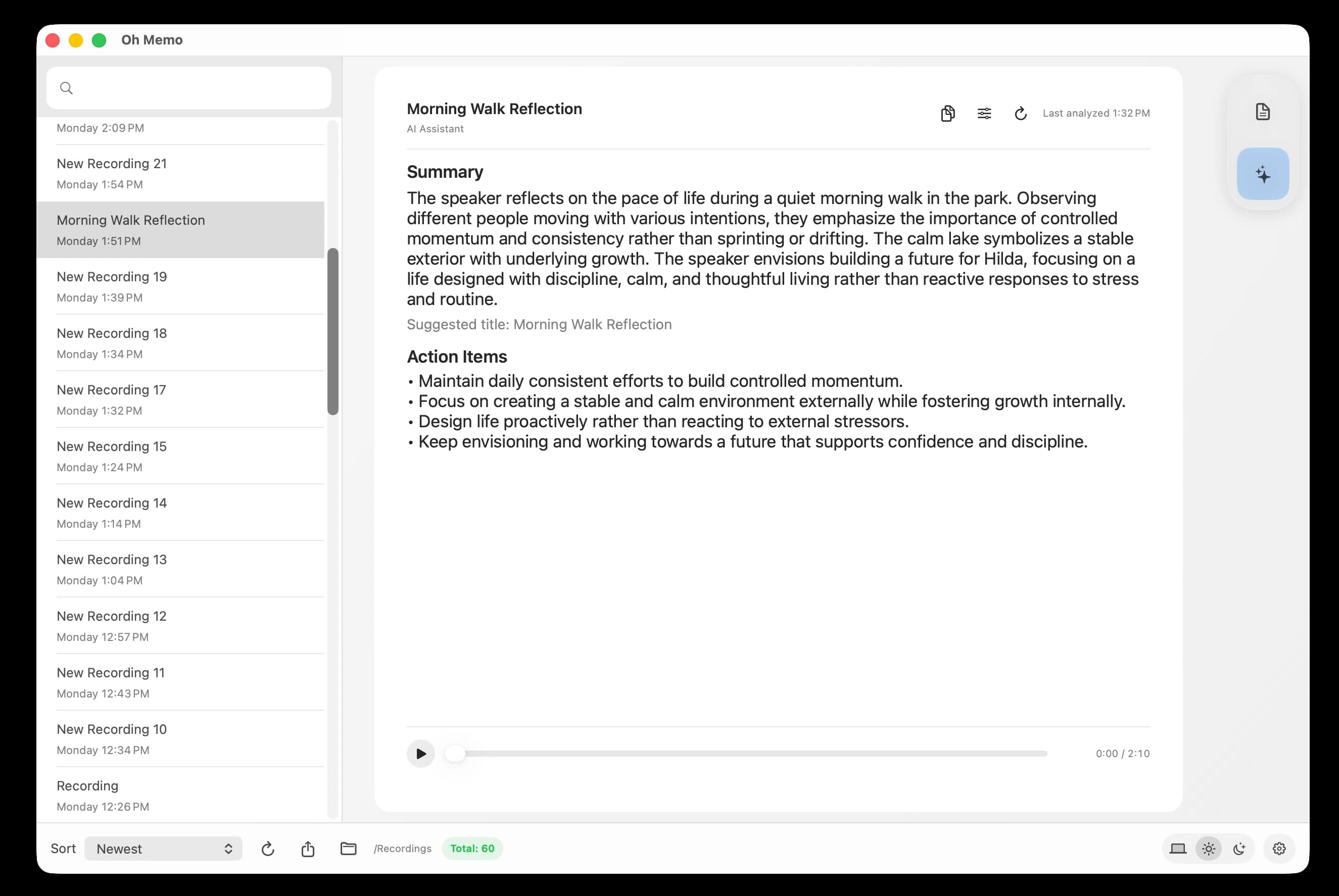
✦Search all transcripts by content or title in a clean sidebar workflow
✦Rename transcript titles and keep your labels saved across sessions
✦Export all transcript text or copy everything in one click
✦Auto-detect new recordings and load transcripts in batches for faster startup
✦Use AI assistant mode to generate summaries, action items, and custom insights
Who this is for
Client and project meetings
Turn long spoken updates into a searchable history so decisions and tasks are easy to find later.
Personal voice notes
Keep your ideas organized with titles and keyword search so your notes stay useful over time.
Screenshot
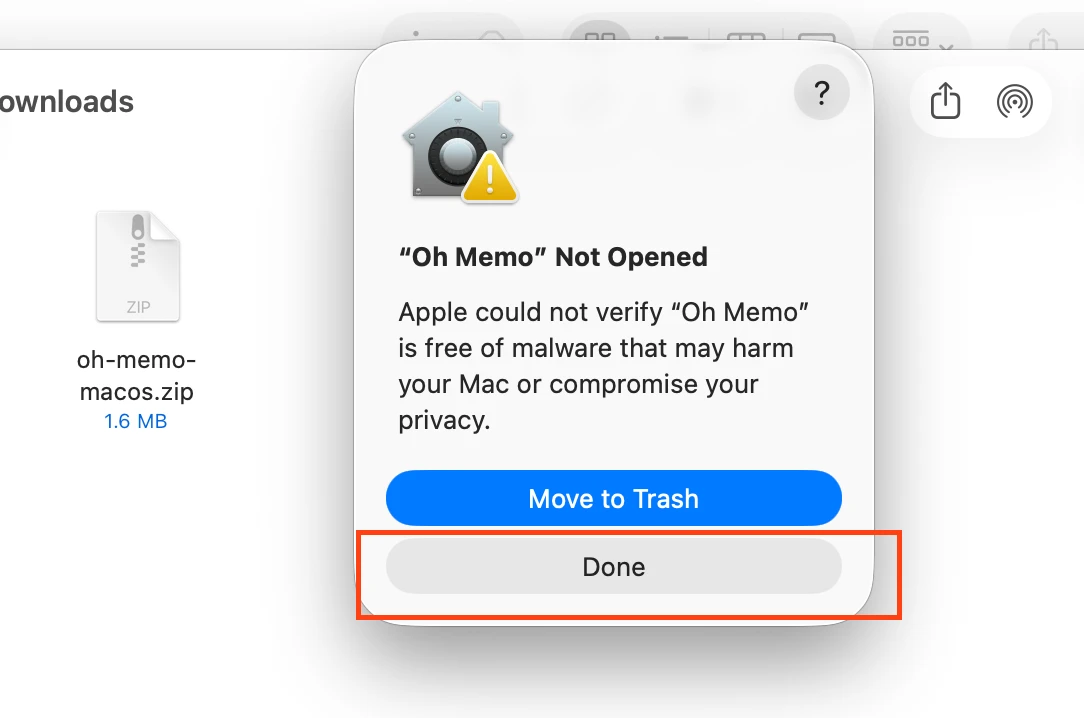
If macOS blocks opening
1.Download and unzip the app, then try opening Oh Memo.app once.
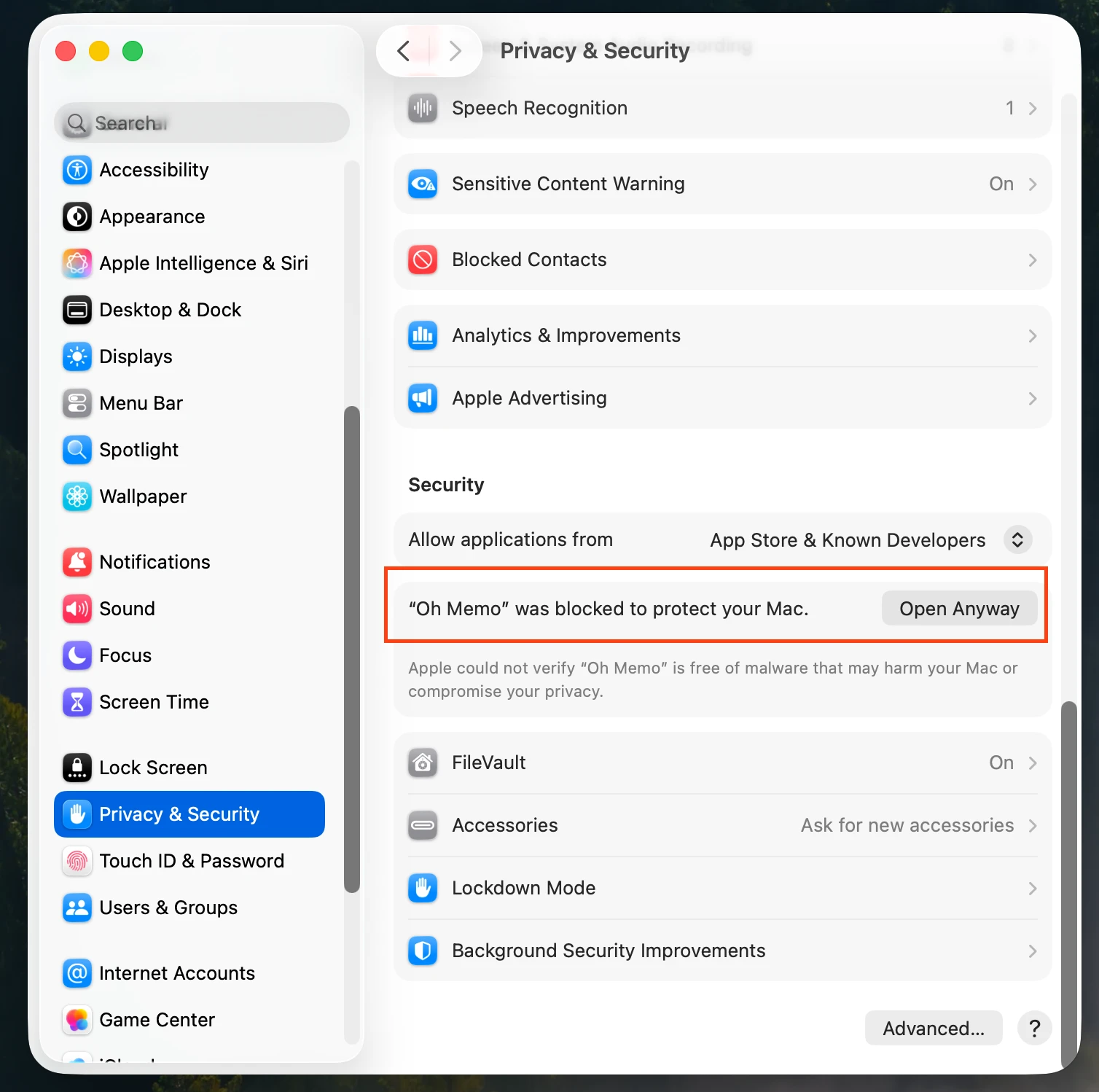
2.Open System Settings → Privacy & Security.
3.Find the blocked app message and click Open Anyway, then confirm.